Email on your company's domain, with its own branding and certificate, storage with version history, and document, spreadsheet and presentation editors that run in the browser.
Explore the main features of our modern webmail, designed to speed up your day-to-day work.
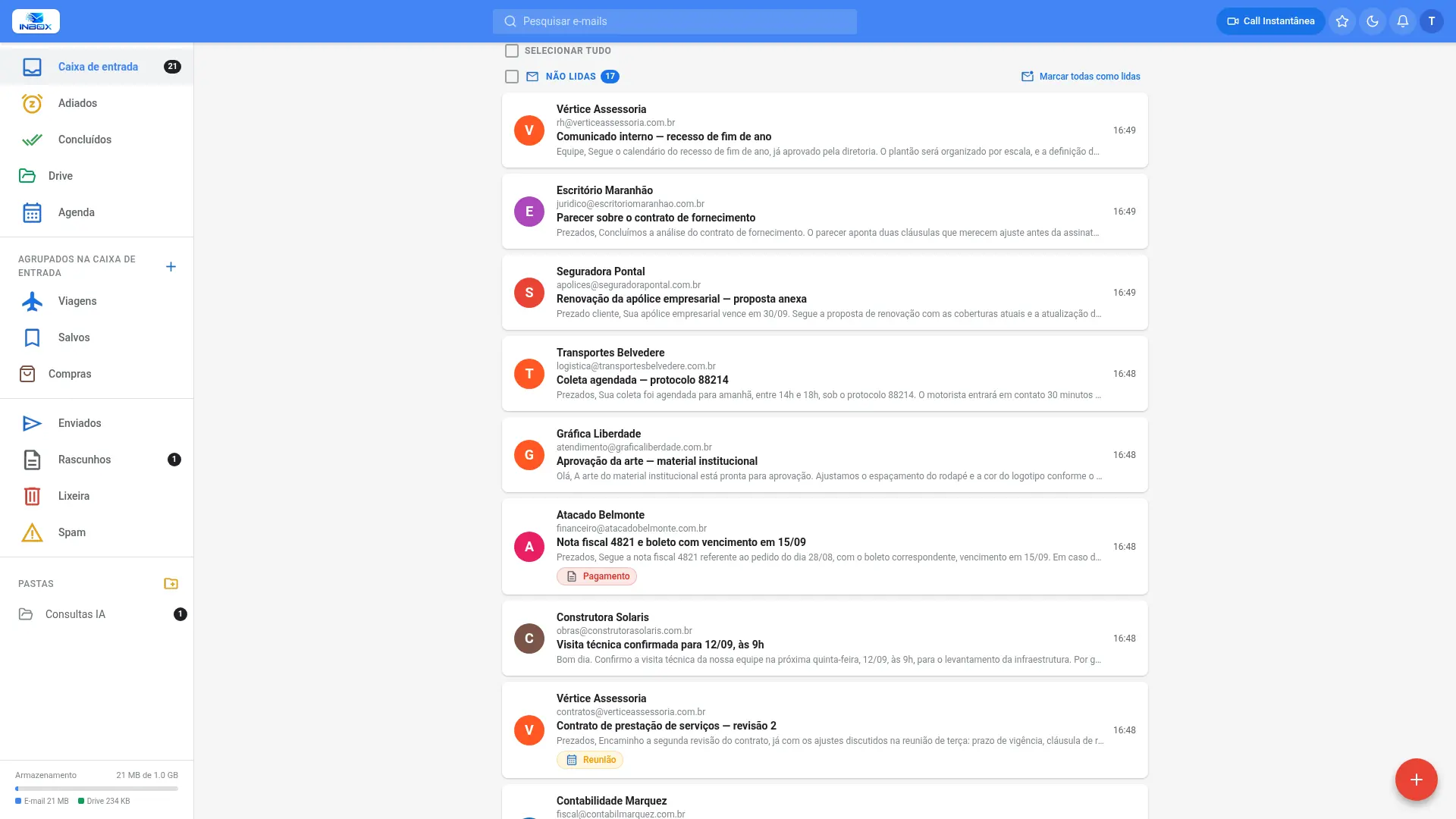
Users access email through an address that belongs to the company, and see the company's brand on screen — not the provider's.
The administrator uploads the image through the panel, and it is displayed in that domain's webmail. Each domain shows its own brand.
Access happens through a company address, with an individual SSL certificate issued and renewed automatically. The browser padlock shows the customer's domain.
The message sent to each new account has a subject and content defined by the company, and is sent from an address on the company's own domain.
Companies with more than one domain can keep an address and a logo for each, with no technical limit on how many.
The address belongs to the company, the certificate belongs to the company and the logo on the sign-in screen belongs to the company. For end users and for everyone who receives their messages, the communication comes from the organization.
Publishing the secure address and issuing the certificate are handled by the Horizon team. From then on, the logo and welcome message are managed by the domain administrator, directly in the panel.
A corporate document repository right inside your email environment, with version control, invitation-based sharing and a change log. Storage is unified: the same space as your mailbox also holds your files.
Upload files, create folders and search your entire collection. Each document stays in a single place instead of being duplicated as attachment copies that multiply with every forward.
Every replacement keeps the previous version, with the last ten retained by default and the limit configurable per domain. Any version can be restored, and the current one is then added to the history.
Internal, within the same domain, or external, to a specific address, with separate permissions to view, edit, download and replace. External invitations require a verification code on every visit.
Each file keeps a record of who edited, replaced, moved, renamed, deleted or shared it, with date, time and IP address. The log is available to the file owner.
The AI analyzes and summarizes long documents, so you can assess their content before opening them. Works with PDFs, images, Office files and text, up to 24 MB.
The AI reviews file names and contents and suggests the right folder for each one, explaining why. Nothing is moved automatically: suggestions are applied only after you confirm.
Files received by email keep a record of the sender and date. A single command reopens the original conversation with the document attached again, with no manual searching through your mailbox.
Every document is replicated to two storage locations. The green indicator on each file confirms that both copies have been written, and the replication status is shown on the details screen.
Files have the same safety net as messages: anything deleted can be recovered by the administrator during the retention period, without the content being read.
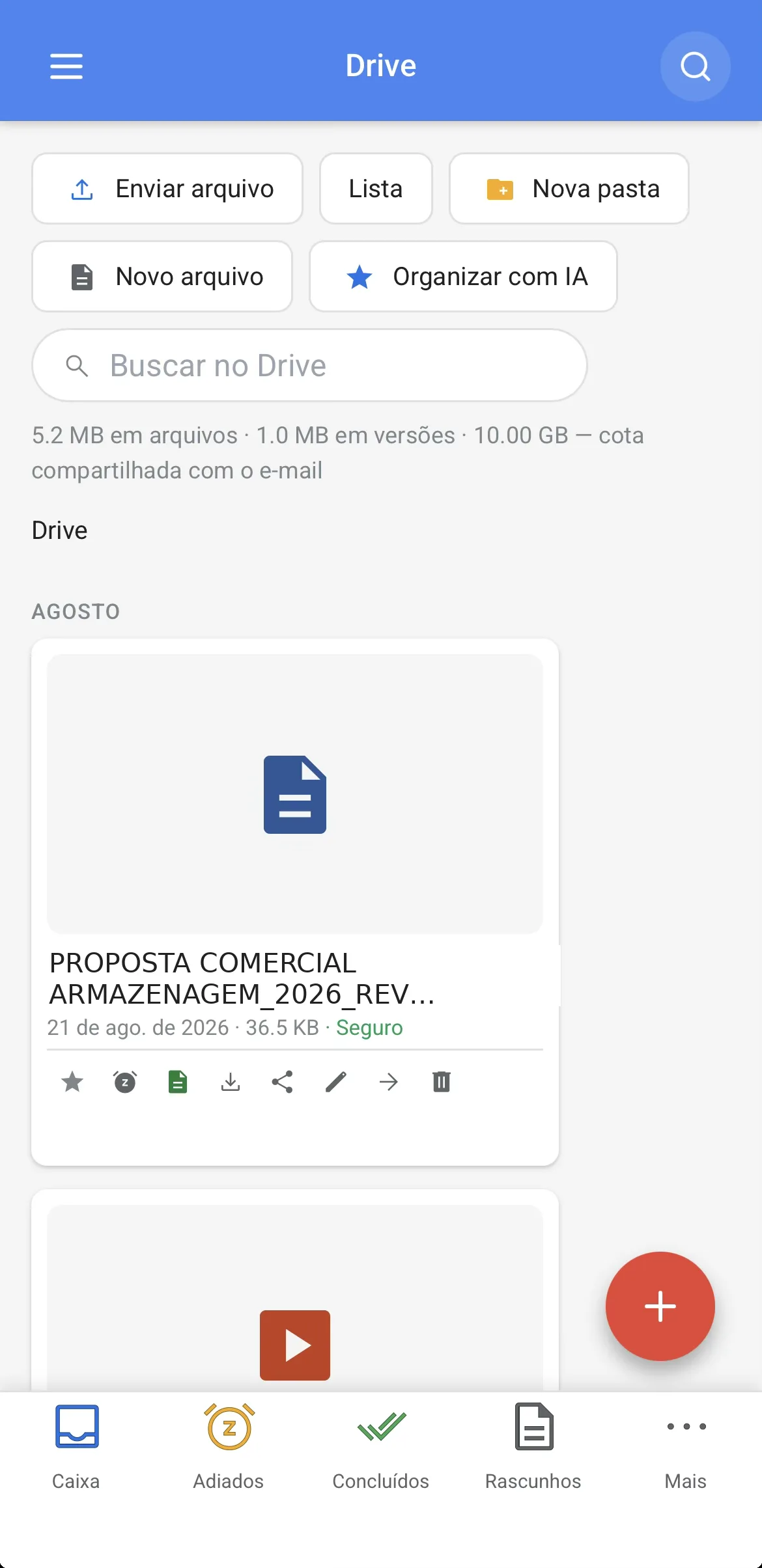
Files grouped by period, search across your collection and storage usage in plain view, with uploads and folder creation right from the device.
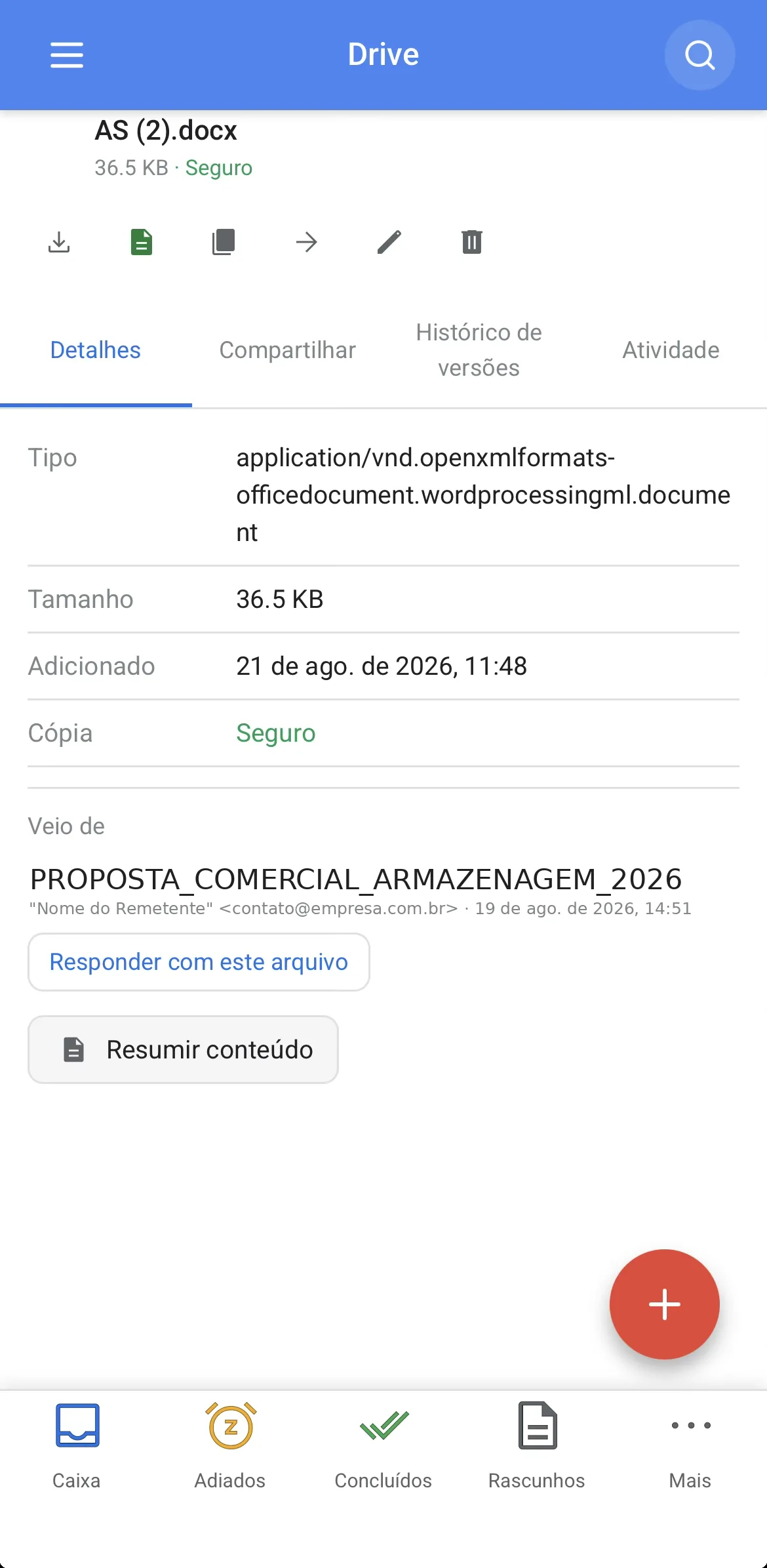
Sharing, version history and the change log together on one screen, along with the link to the original message.
A single command sends the attachment from the message to the company Drive. From there it opens in the browser, is worked on by several people and goes back, already updated, attached to the reply to the sender. No downloaded copies, no installed software to open, no hunting for the file to attach it again.
Works with .docx, .xlsx and .pptx, and with the open formats .odt, .ods and .odp.
What a business document requires, without manual work: the text comes out standardized, numbering adjusts itself when the content changes, and every revision is recorded with the name of the person who made it.
A file that arrives as .docx is edited and sent back as .docx, without asking the recipient to switch programs.
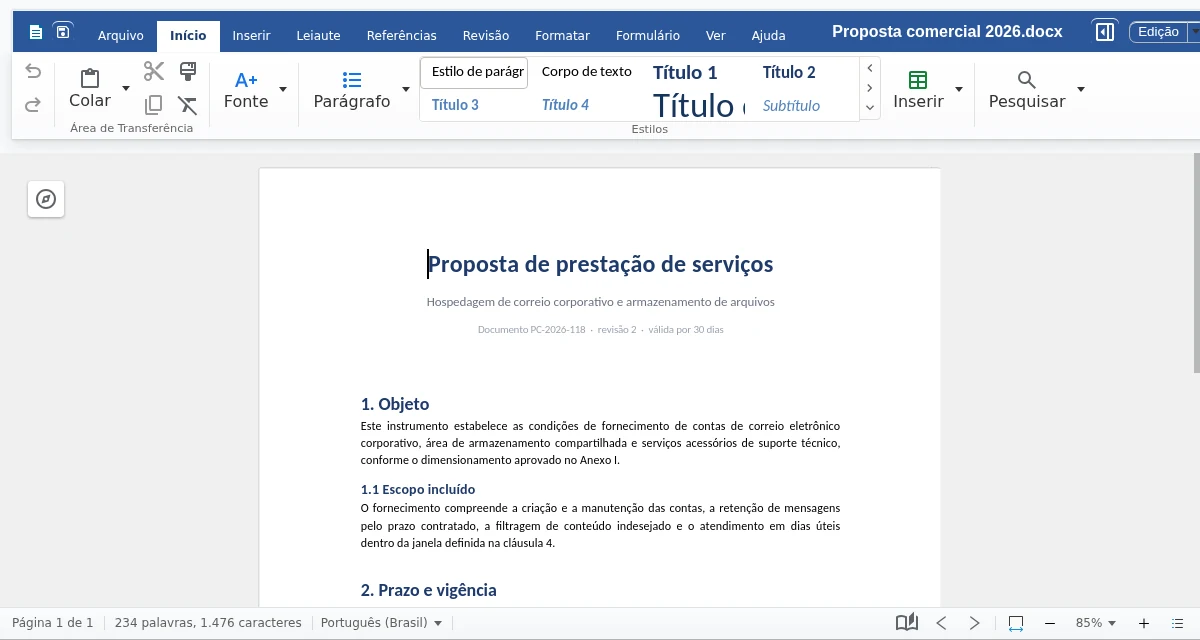
A .docx proposal open in the browser. On the right side of the ribbon, the styles gallery that keeps the document standardized.
Budgets, cash flow and operational tracking in the same spreadsheet that already circulates in the company. Calculations keep working and values appear in the format the finance team expects.
Spreadsheets received as .xlsx are edited and sent back as .xlsx. Those sent to the accountant or the client open directly in the program they already use.
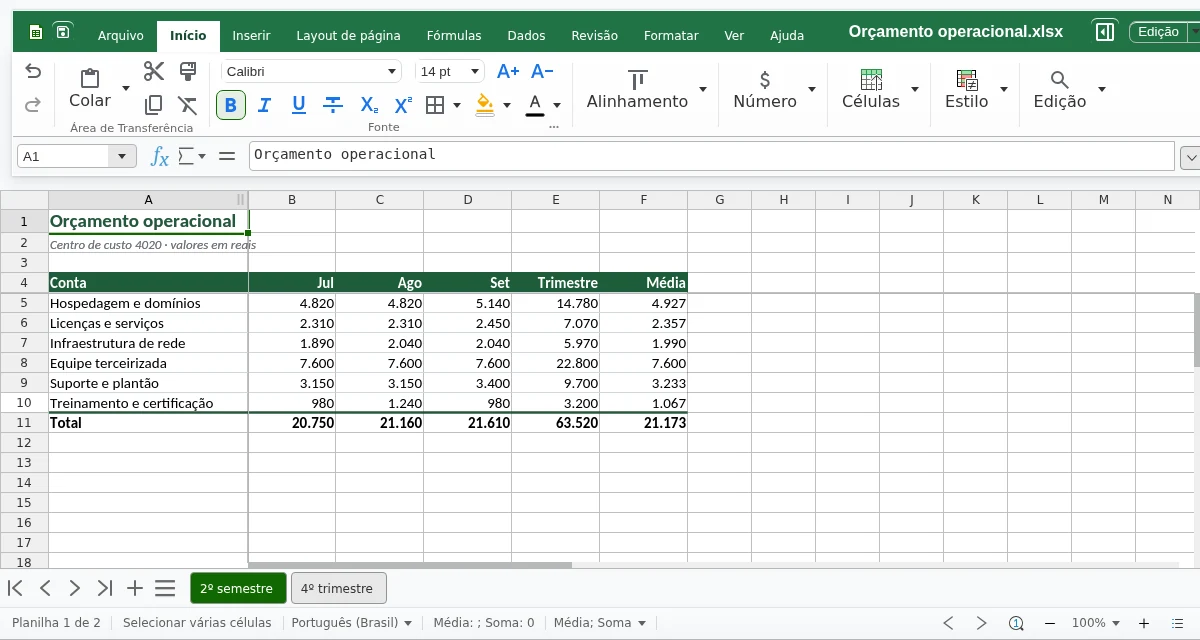
A .xlsx budget with totals coming from formulas and two periods in tabs of the same file.
The company's brand stays fixed on every slide, and page layouts come ready-made. The whole sequence appears on the side, so you can reorganize the argument without losing the thread of the conversation.
.pptx files come in and go out as .pptx. And the presentation stays in the Drive, next to the documents it came from.
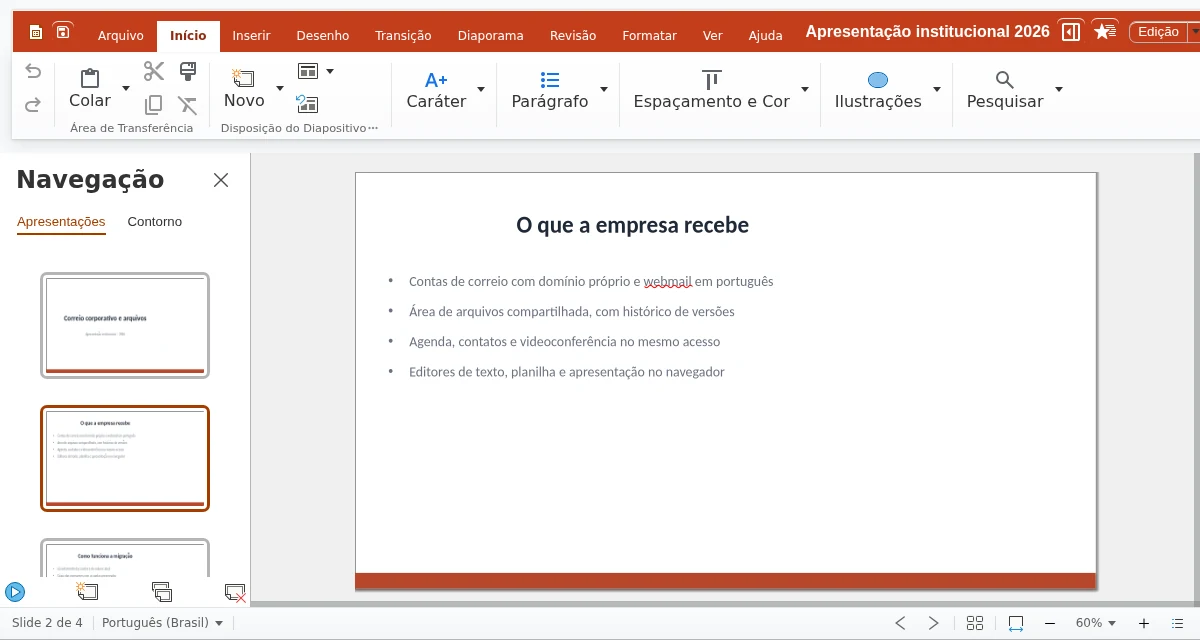
A .pptx presentation with the slide sequence on the left, to reorder the argument without leaving the screen.
All three applications support simultaneous editing. Everyone can see where the others are working, and there is always just one document.
The cycle of attaching, renaming and consolidating is over. No more “final revised version 3” circulating by email.
Each participant's cursor is visible where they are working, labeled with who they are.
The Drive history records each round of editing, and any previous state can be restored.
There is no per-user license for the editor: who works on the file is the team's decision, not the contract's.
The editors run in the browser, on computers and on mobile devices. Document editing is not available in the Android app, which is for email. PDF files can be viewed but not edited. The maximum size per file saved by the editor is 200 MB.
Accounts from $0.99 per month, with volume discounts.
