
1Origin
Who sent the message
SPF, DKIM and DMARC authentication checks that the sender really is who they claim to be, and the source address is checked against public reputation lists. Whatever fails here never reaches the next layers.
Three filtering layers, access restrictions by origin and time, domain-level retention of deleted messages, and artificial intelligence processed on Horizon's own infrastructure, with no third-party cloud.
The AI runs on INBOX's own servers — your email never goes out to a third-party cloud. No OpenAI, no Google, nothing “sent outside.” The model reads the message, decides and responds in anywhere from milliseconds to a few seconds — classifying an email takes from ~2.5 s (short) to ~4 s (long), with high accuracy.
On top of sender authentication (SPF, DKIM, DMARC) and reputation lists, a statistical filter learns from users' markings, and an AI layer reads the content and judges it by meaning — catching scams that slip past fixed rules, such as CEO fraud (BEC) and well-written phishing. It learns from what you mark (allow and block lists, high-confidence self-learning).
In the Spam folder, every link is disabled and flagged, preventing accidental clicks on phishing addresses. The AI also writes a note explaining why the message is spam, helping users learn. Works in webmail and in the Android app.
When an email arrives, the AI classifies it as Travel / Shopping / Other and files it in the right folder — your Inbox keeps only what matters. It runs in real time and is safe by default: at the slightest doubt, the email stays in the Inbox.
Schedule your vacation, with automatic replies and forwarding by category. Our artificial intelligence can adapt automatic replies and forwards, personalizing your customer relationships.
“Emails from accounting last month with attachments” → the AI turns your sentence into real search criteria. Finding an email becomes a conversation, in natural language.
Write from scratch, rewrite, adjust the tone (formal/informal) or summarize — right in the composer. Your writing improves without the text ever leaving the server.
You get the AI features of the big providers without their privacy cost: nothing is sent outside; everything happens on the INBOX server.
Protection is not a single filter. Each layer decides what it can and passes on to the next only what remains unresolved.
SPF, DKIM and DMARC authentication checks that the sender really is who they claim to be, and the source address is checked against public reputation lists. Whatever fails here never reaches the next layers.
A statistical filter learns from messages already classified and becomes more accurate with every round. What it learns applies to the entire operation, not to a single mailbox.
Artificial intelligence reads the text and assesses its meaning in the cases where the first two layers are uncertain, explaining the reason for the classification. By design, it never blocks a message on its own.
When a user marks a message as legitimate, the sender moves to their personal allow list; when they mark it as spam, to their block list. One action, immediate effect, applied only to that mailbox. A sender on the personal allow list is no longer stopped by the subsequent layers. The administrator can also set lists that apply to the whole domain.
Signatures are updated automatically. Attachments are scanned both on the way in and on the way out, and delivery is refused when a threat is detected.
Corporate email concentrates access to company information. INBOX provides enterprise-grade access controls right in the domain panel.
Mailbox access can be allowed only from company addresses, entire CIDR ranges or a dynamic DNS record when the address changes. The rule also applies to external email clients.
Boundaries set by coordinates and radius, or access restricted to specific Wi-Fi networks. The check takes place at sign-in and blocks access from origins outside the defined perimeter.
Set the days and time windows in which each mailbox can be used. The check is continuous: it applies at sign-in and stays active throughout the session.
Two-step authentication with an authenticator app, plus recovery codes in case the device is lost.
Repeated failed sign-in attempts trigger an automatic block. The administrator sees the record in the panel and releases it.
Access report showing user, date, IP address and location, displayed on a map. The retention period is configurable by the administrator.
Minimum length and complexity requirements, with an uppercase letter, a digit and a special character, according to rules set per domain.
External IMAP, POP and SMTP are disabled from the start. Access is limited to webmail and the official app until the administrator enables it individually for each mailbox.
The Android app offers biometric authentication and screenshot blocking, the latter enabled by default, which prevents business content from being captured on screen.
Access control protects the way in. But the costliest damage usually walks out the front door, fully authenticated: the customer database attached to a personal address, the contract forwarded outside the day before someone leaves the company.
When the company turns on this feature, INBOX's artificial intelligence examines messages sent to external recipients — including those the user has deleted — and flags signs of internal information leaving: financial data, contracts, customer records, payroll, credentials, source code.
No message is stopped, delayed or altered. The result is a review queue. A filter that holds up a legitimate message gets switched off the following week; flagging afterward keeps operations running.
Each item shows the category, the confidence level and the excerpt that triggered the alert, and is closed as reviewed or as a false positive. The person responsible can open the flagged message.
Your accountant, lawyer and regular suppliers go on a trusted list and are no longer flagged. The threshold is adjustable too, to strike the balance between too few alerts and too much noise.
finance@yourcompany.com → external: contact@personaladdress.com
subject: Re: Sending the spreadsheet
[file sent] Sending a spreadsheet with financial data to an external recipient without relevant context is suspicious. · excerpt: “budget-2026.xlsx”
sales@yourcompany.com → external: personal.address@provider.com
subject: General report
[report] A report containing customer records sent to an address outside the domain. · excerpt: “customer-portfolio-2026.xlsx”
Example of the review queue. Addresses, subjects and files are fictitious.
The feature is optional and turned off by default: it only starts working when a company administrator enables it. The queue is visible only to the domain administrator, and the flagged sender is not notified. The analysis is performed by INBOX's own artificial intelligence, on Horizon's infrastructure. Monitoring corporate email presupposes an internal policy and employees being informed in advance.
A domain-level retention layer that covers both accidental and deliberate deletions.
Without a retention policy, this is the point where the message would be gone for good.
Before permanent deletion, the message is moved to the domain's Global Trash, out of reach of the user who deleted it.
From the admin panel, the administrator finds the deleted item and restores it to the original owner's mailbox.
Recovery is performed by the domain administrator and covers items that came from the Trash. Messages classified as spam are not covered by this protection.
Invoice for payment — order 4821
Supply agreement — signature pending
Monthly tax filings and August closing
Commission report — Q2
Sample recovery screen. Addresses, subjects and dates are fictitious.
Drive has its own domain-level trash, with the same retention period. There, however, the administrator works under a restriction that email does not impose.
A dedicated admin panel for the person in charge of the domain: create accounts, track usage, monitor security and investigate deliveries — all without opening a ticket.
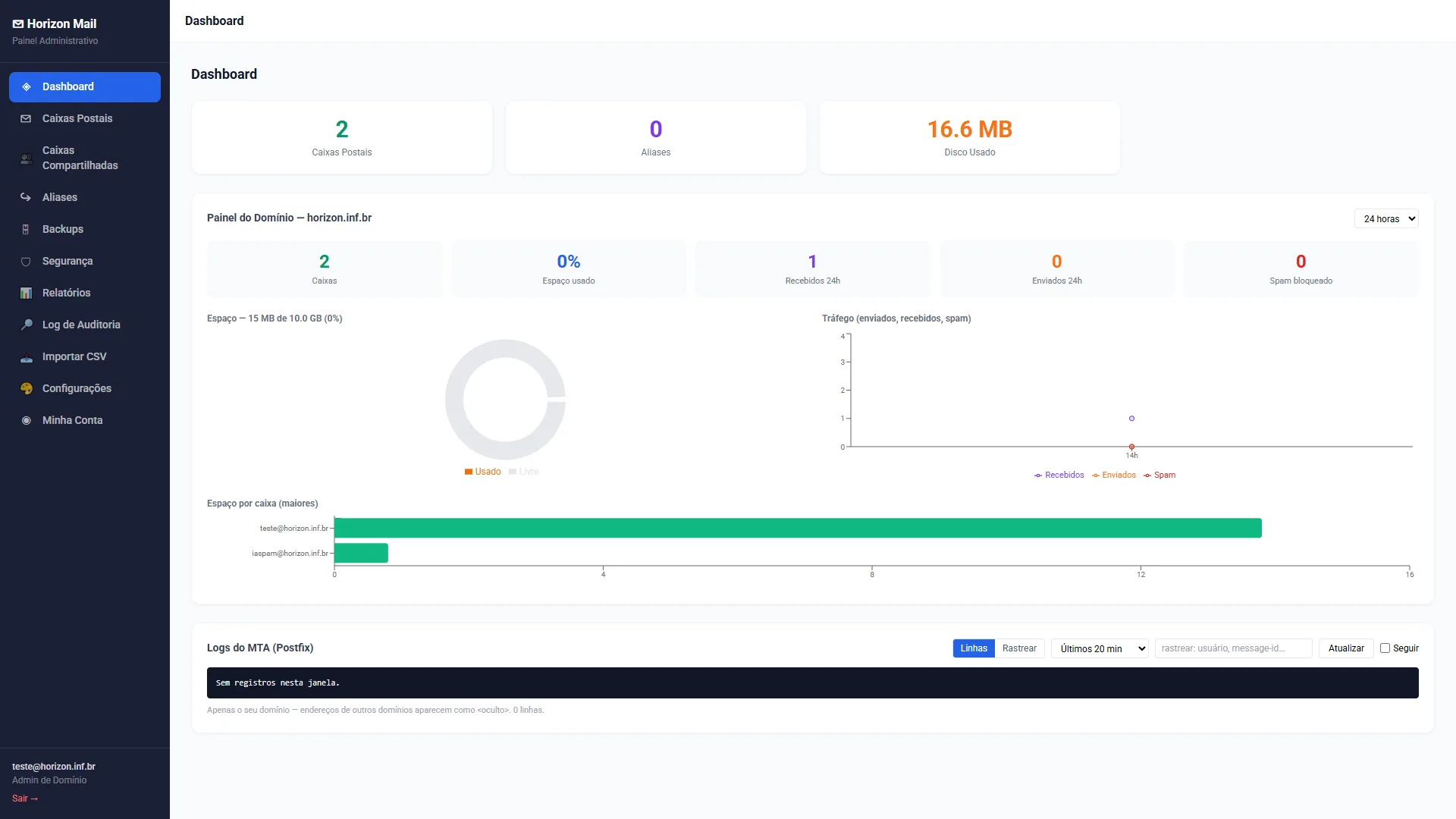
See at a glance how many mailboxes exist, how much space they use and how many emails come in, go out and are stopped as spam. And when you need to investigate a delivery, the server records are right there — traceable by recipient or message, showing only your domain.
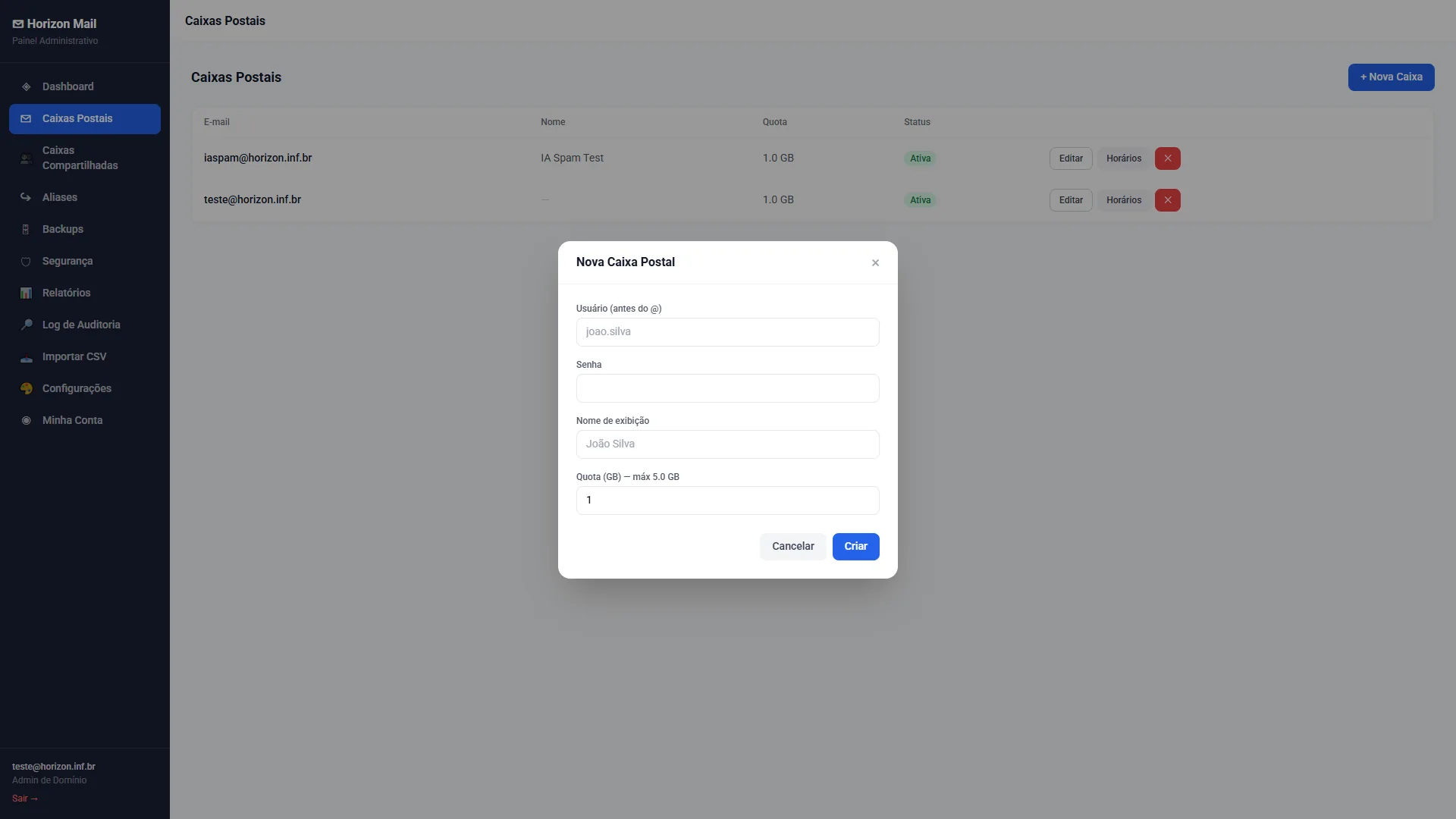
Set up new email mailboxes in seconds — username, password, display name and quota — and edit or disable them whenever you want, without relying on support.
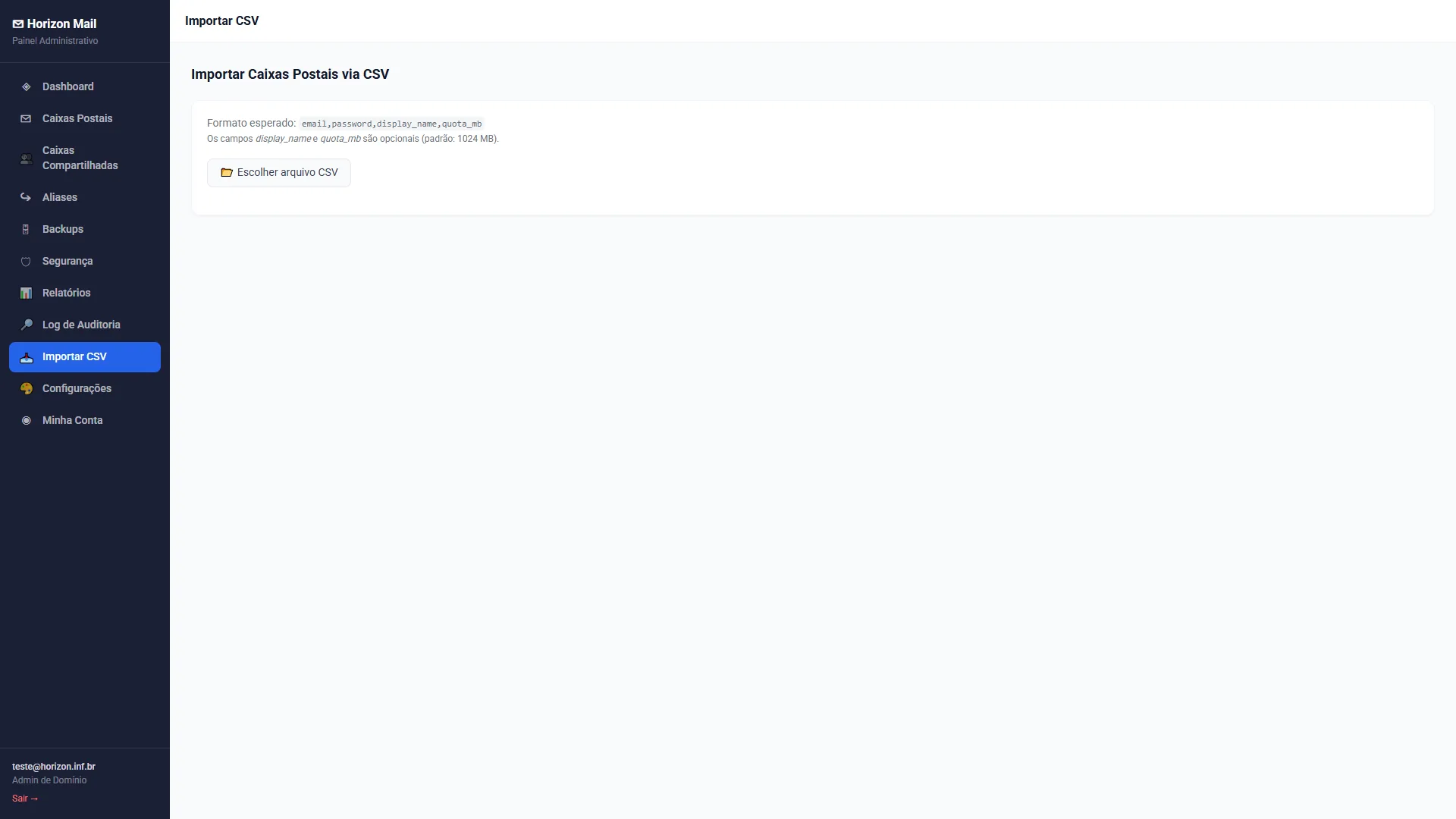
To create multiple mailboxes, INBOX processes a CSV spreadsheet with email addresses, passwords, display names and quotas, provisioning all of them in a single operation.
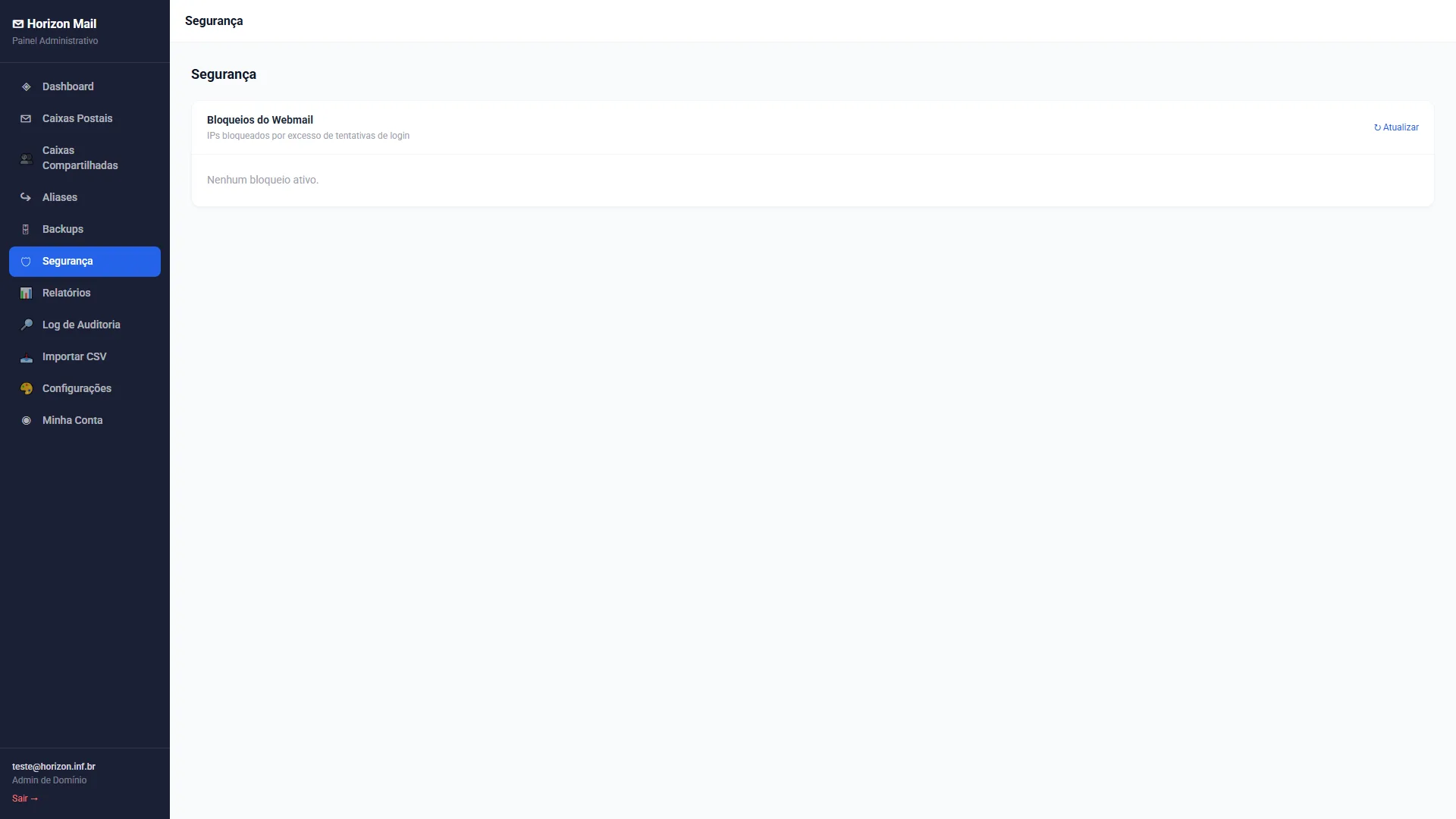
Track the IPs blocked for too many login attempts and release legitimate connections with one click — protecting accounts without locking out your team.
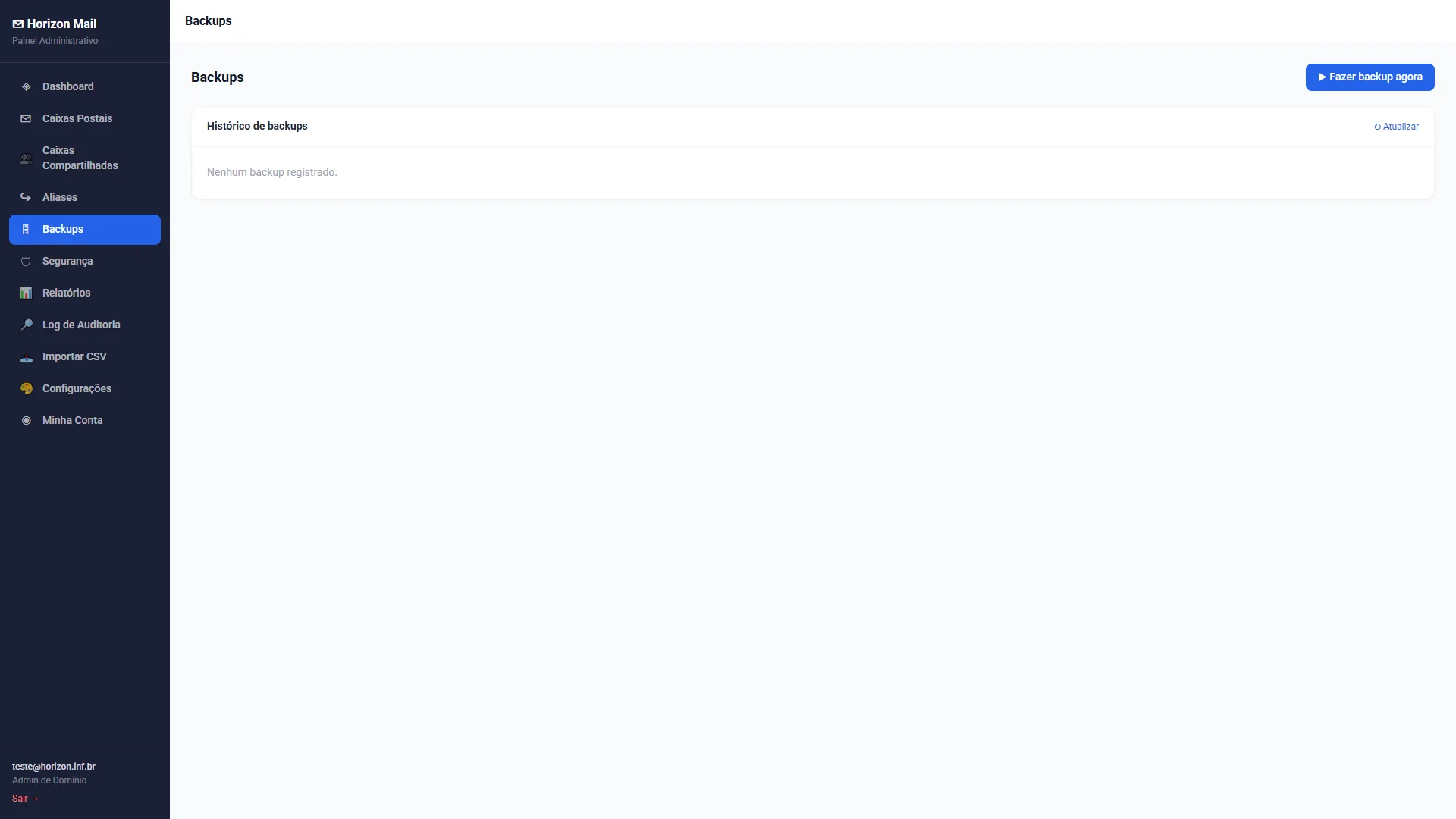
With the optional backup add-on, create a copy of your mailboxes at any time and restore emails in a few clicks.
When a message doesn't arrive, the server keeps the recipient's exact response — written for machines. A line like 450 4.7.1 Greylisted doesn't tell the administrator whether to act or simply wait. In delivery tracking, INBOX's artificial intelligence reads the log and explains, in plain language and in the interface language, what happened, why it happened and what to check.
from rem-8kq2@unknown-domain.net to finance@yourcompany.com
Explanation (AI)
This email sent by rem-8kq2@unknown-domain.net to finance@yourcompany.com was rejected and blocked by the server as soon as it arrived. It was neither delivered nor moved to the spam folder, because the security filters identified it as spam during transmission. For that reason, the message was discarded and did not reach the recipient.
Log lines
18:07:19  smtpd: client=mail.exemplo-remoto.net[203.0.113.77]
18:07:22  cleanup: milter-reject: END-OF-MESSAGE
          from mail.exemplo-remoto.net[203.0.113.77]:
          5.7.1 Spam message rejected
18:07:22  cleanup: removed (canceled)
Unblock sender
Example of an explanation generated when a message is opened in delivery tracking. Addresses and identifiers are fictitious.
It can also summarize an entire search — how many messages in the period were classified as spam and the most common reason, for example. The explanation is generated when a message is opened in delivery tracking, not automatically for everything coming in or going out. And it analyzes only the records: connection steps, authentication results, filter score, timestamps and the addresses involved. In this analysis, message bodies and attachments are not sent to the artificial intelligence. Each administrator sees only their own domain, and if the artificial intelligence is unavailable, the panel shows the standard explanation for the event.
Accounts from $0.99 per month, with volume discounts.